- Overview
- Course Details
Preparation for the new version (1.0) of the 200-301 Cisco Certified Network Associate (CCNA) exam.
Overview:
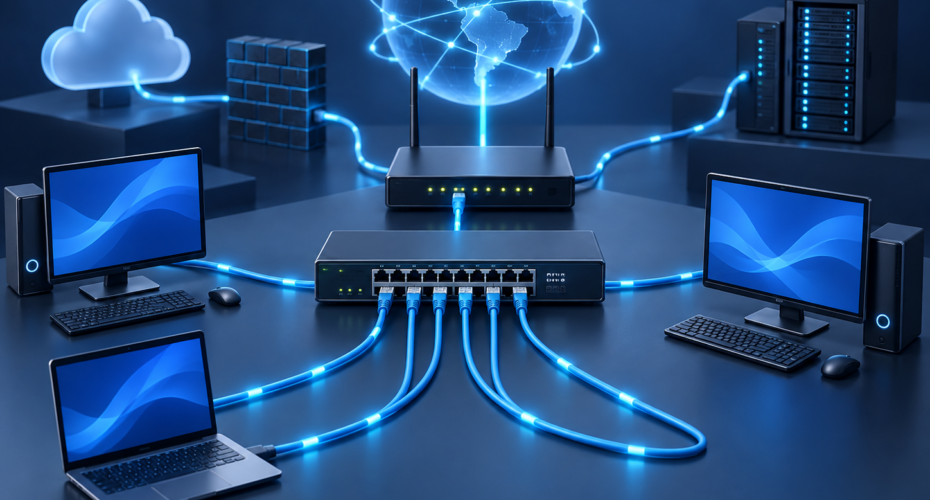
The Implementing and Administering Cisco Solutions course provides a broad range of fundamental knowledge for all IT careers. Through a combination of lecture and hands-on labs, you will learn how to install, operate, configure, and verify a basic IPv4 and IPv6 network. The course covers configuring network components such as switches, routers, and Wireless LAN Controllers; managing network devices; and identifying basic security threats. Network programmability, automation, and software-defined networking are also covered at a foundational level.
This course helps you prepare to take the 200-301Cisco Certified Network Associate (CCNA) exam. The 200-301 CCNA exam goes live on February 24, 2020.
Target Audience:
Anyone looking to start a career in networking or wishing to achieve the Cisco CCNA Certification.
Objectives:

 After completing this course you should be able to:
-
Identify the components of a computer network and describe their basic characteristics
-
Understand the model of host-to-host communication
-
Describe the features and functions of the Cisco IOS Software
-
Describe LANs and the role of switches within LANs
-
Describe Ethernet as the network access layer of TCP/IP and describe the operation of switches
-
Install a switch and perform the initial configuration
-
Describe the TCP/IP internet Layer, IPv4, its addressing scheme, and subnetting
-
Describe the TCP/IP Transport layer and Application layer
-
Explore functions of routing
-
Implement basic configuration on a Cisco router
-
Explain host-to-host communications across switches and routers
-
Identify and resolve common switched network issues and common problems associated with IPv4 addressing
-
Describe IPv6 main features, addresses and configure and verify basic IPv6 connectivity
-
Describe the operation, benefits, and limitations of static routing
-
Describe, implement and verify VLANs and trunks
-
Describe the application and configuration of inter-VLAN routing
-
Explain the basics of dynamic routing protocols and describe components and terms of OSPF
- Explain how STP and RSTP work
- Configure link aggregation using EtherChannel
- Describe the purpose of Layer 3 redundancy protocols
- Describe basic WAN and VPN concepts
- Describe the operation of ACLs and their applications in the network
- Configure internet access using DHCP clients and explain and configure NAT on Cisco routers
- Describe the basic QoS concepts
- Describe the concepts of wireless networks, which types of wireless networks can be built and how to use WLC
- Describe network and device architectures and introduce virtualization
- Introduce the concept of network programmability and SDN and describe the smart network management solutions like Cisco DNA Center, SD-Access and SD-WAN
- Configure basic IOS system monitoring tools
- Describe the management of Cisco devices
- Describe the current security threat landscape
- Describe threat defense technologies
- Implement a basic security configuration of the device management plane
- Implement basic steps to harden network devices
|
Testing and Certification |
||
|
Recommended as preparation for the following exams: |
||
|
|
200-301 – Cisco Certified Network Associate Exam (CCNA)
Additional study materials can be accessed at: 1) CCNA Essentials Webinar Series Content: |
|
Exploring the Functions of Networking
Introducing the Host-To-Host Communications Model
Operating Cisco IOS Software
Introducing LANs
Exploring the TCP/IP Link Layer
Starting a Switch
Introducing the TCP/IP Internet Layer, IPv4 Addressing, and Subnets
Explaining the TCP/IP Transport Layer and Application Layer
Exploring the Functions of Routing
Configuring a Cisco Router
Exploring the Packet Delivery Process
Troubleshooting a Simple Network
Introducing Basic IPv6
Configuring Static Routing
Implementing VLANs and Trunks
Routing Between VLANs
Introducing OSPF
Building Redundant Switched Topologies
Improving Redundant Switched Topologies with EtherChannel
Exploring Layer 3 Redundancy
Introducing WAN Technologies
Explaining Basics of ACL
Enabling Internet Connectivity
Introducing QoS
Explaining Wireless Fundamentals
Introducing Architectures and Virtualization
Explaining the Evolution of Intelligent Networks
Introducing System Monitoring
Managing Cisco Devices
Examining the Security Threat Landscape
Implementing Threat Defense Technologies
Implementing Device Hardening
Labs:
Get Started with Cisco CLI
Observe How a Switch Operates
Perform Basic Switch Configuration
Inspect TCP/IP Applications
Configure an Interface on a Cisco Router
Configure and Verify Layer 2 Discovery Protocols
Configure Default Gateway
Explore Packet Forwarding
Troubleshoot Switch Media and Port Issues
Troubleshoot Port Duplex Issues
Configure Basic IPv6 Connectivity
Configure and Verify IPv4 Static Routes
Configure IPv6 Static Routes
Configure VLAN and Trunk
Configure a Router on a Stick
Configure and Verify Single-Area OSPF
Configure and Verify EtherChannel
Configure and Verify IPv4 ACLs
Configure a Provider-Assigned IPv4 Address
Configure Static NAT
Configure Dynamic NAT and PAT
Log into the WLC
Monitor the WLC
Configure a Dynamic (VLAN) Interface
Configure a DHCP Scope
Configure a WLAN
Define a RADIUS Server
Explore Management Options
Explore the Cisco DNA Center
Configure and Verify NTP
Create the Cisco IOS Image Backup
Upgrade Cisco IOS Image
Configure WLAN Using WPA2 PSK Using the GUI
Secure Console and Remote Access
Enable and Limit Remote Access Connectivity
Configure and Verify Port Security
Follow-on-Courses:
This course covers network fundamentals, network access, IP connectivity, IP Services, security fundamentals and verification of Cisco Networks and is a great starting point for those starting their Cisco career certification journey. The following courses are recommended for further study.
CLFNDU – Understanding Cisco Collaboration Foundations
DCFNDU – Understanding Cisco Data Center Foundations
ENFNDU – Understanding Cisco Enterprise Foundations
SFNDU – Understanding Cisco Security Foundations
SPFNDU – Understanding Cisco Service Provider Network Foundations
WLFNDU – Understanding Cisco Wireless Foundations
Alternatively should you wish to progress to the professional level then you may wish to review
CLCOR – Implementing and Operating Cisco Collaboration Core Technologies
DCCOR – Implementing and Operating Cisco Date Center Core Technologies
ENCOR – Implementing and Operating Cisco Enterprise Network Core Technologies
SCOR – Implementing and Operating Cisco Security Core Technologies
SPCOR – Implementing and Operating Cisco Service Provider Network Core Technologies